

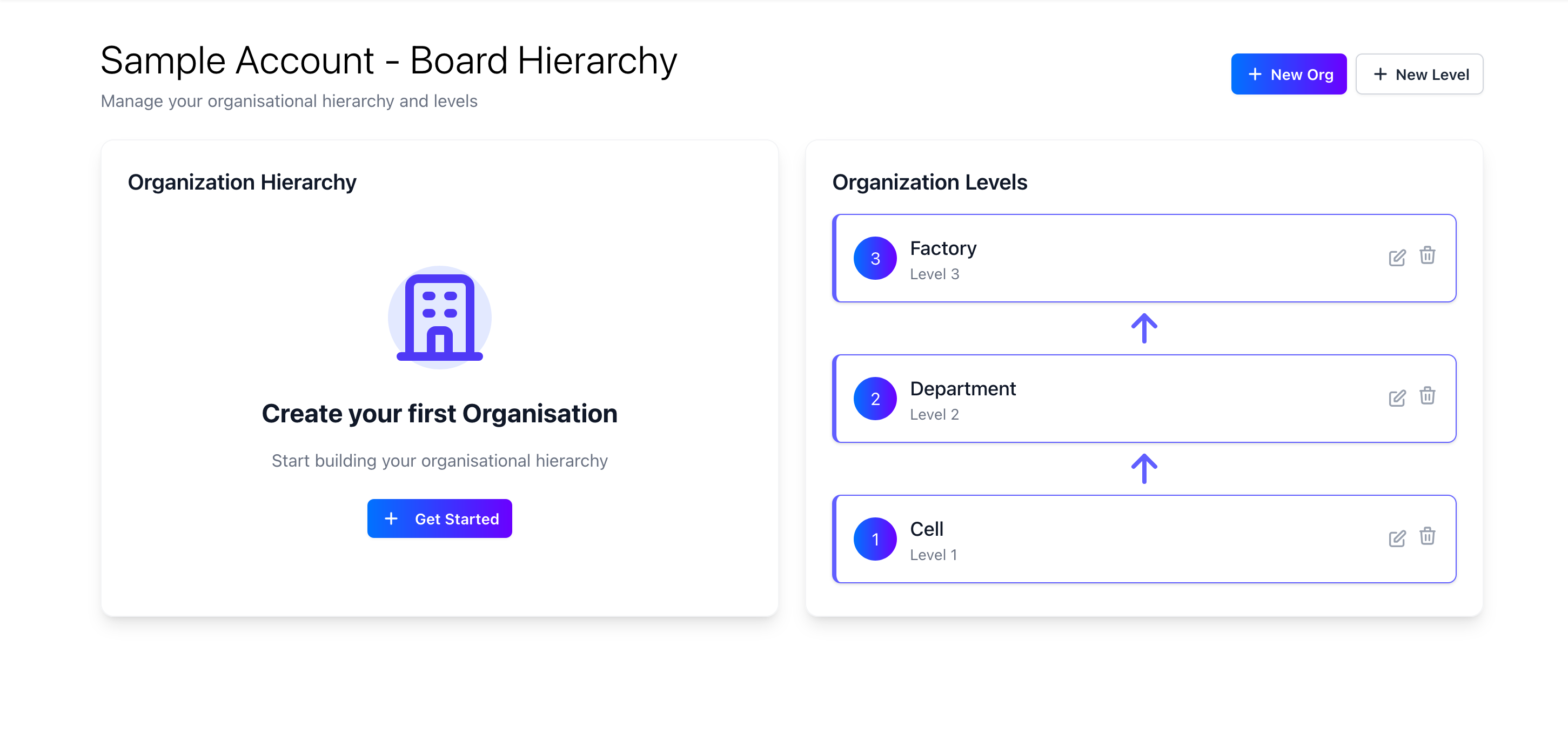
- Factory: The top level of organization where data is aggregated, normally this is a single physical factory. Data would not normally be inputted at the factory level, but it would be used for reporting and analytics.
- Department: The second level of organization, this would be a logical grouping of cells. For example, in a manufacturing facility you may have different departments for production, engineering, and quality.
- Cell: The third level of organization, this would be the most granular level of organization. For example, in a manufacturing facility you may have different cells within production, or multiple teams within engineering.
You can only have 1 item at each level, this is to ensure data can flow through the heirachy’s correctly. For example, if you have 2 factories, you would need to create a new org level for one of the factories. You can have different visual board templates for multiple orgs within the same org level.
Managing Org Levels
To manage your org levels, follow these steps:-
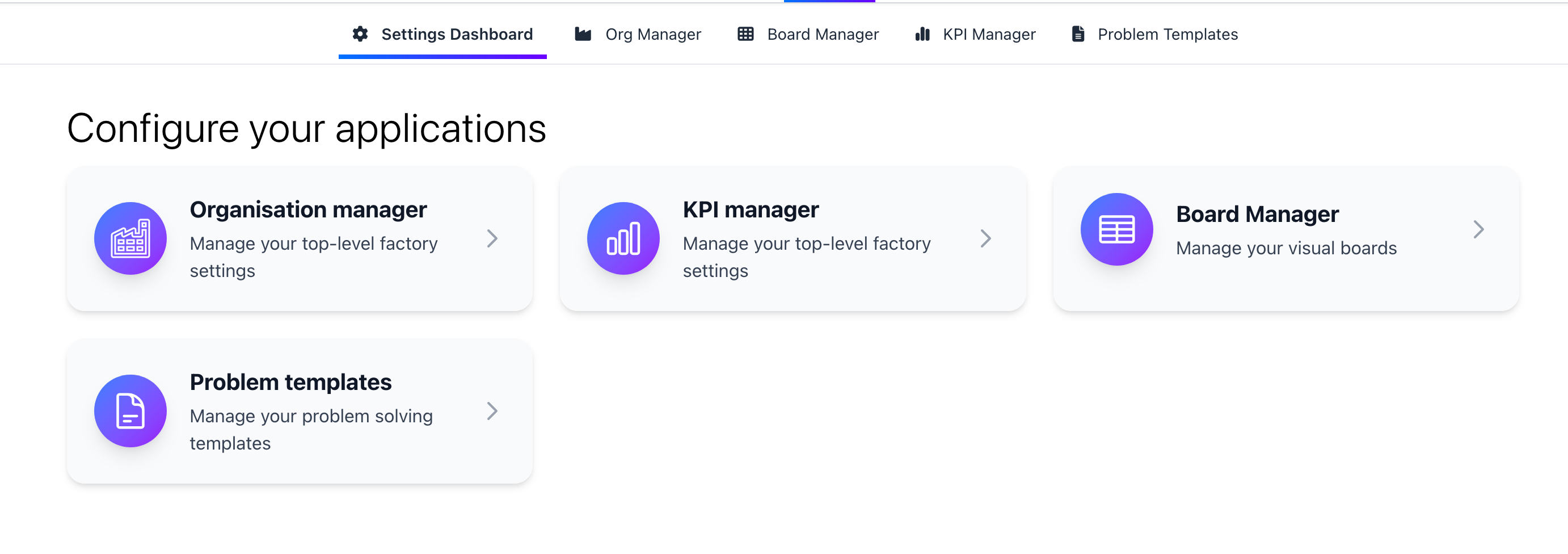
Open the organisation manager insider the configuration menu.
-
On the org manager you will see your organisations on the left hand side, and the org levels on the right hand side.
Adding Org Levels
To add an org level, click on the “Add Org Level” button. This will open a form where you can enter the name of the org level and the level of the org. There is no limit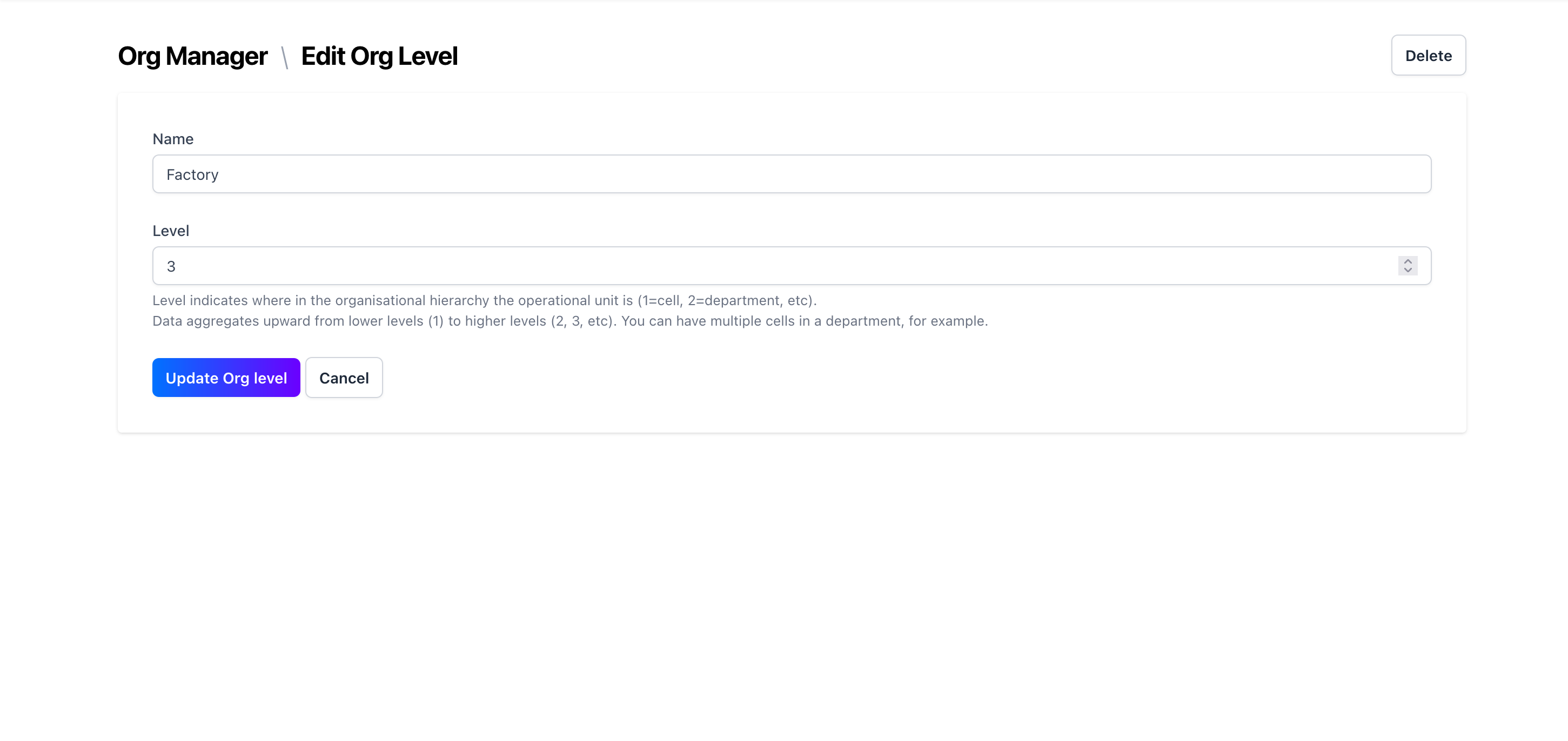
Editing Org Levels
To edit an org level, click on the org level you want to edit. Here you can change the name and the name and the level of the org.